A Native Free Alternative to Paid macOS Screenshot Tools Without Electron and Subscriptions
The standard Cmd+Shift+4 and built-in Preview in macOS often fall short when you need to quickly show a bug or put together a neat guide. The built-in arrows look crooked, redacting sensitive data has to be done manually, and to take a long screenshot of a web page or record a short GIF, you have to turn to third-party services. Most alternatives like CleanShot X are either paid with subscriptions or drag along Electron and consume gigabytes of RAM.
Recently I stumbled upon an open-source project called macshot, which solves exactly this kind of routine. It's a native Swift and AppKit application with open source under the GPLv3 license.
What macshot can do
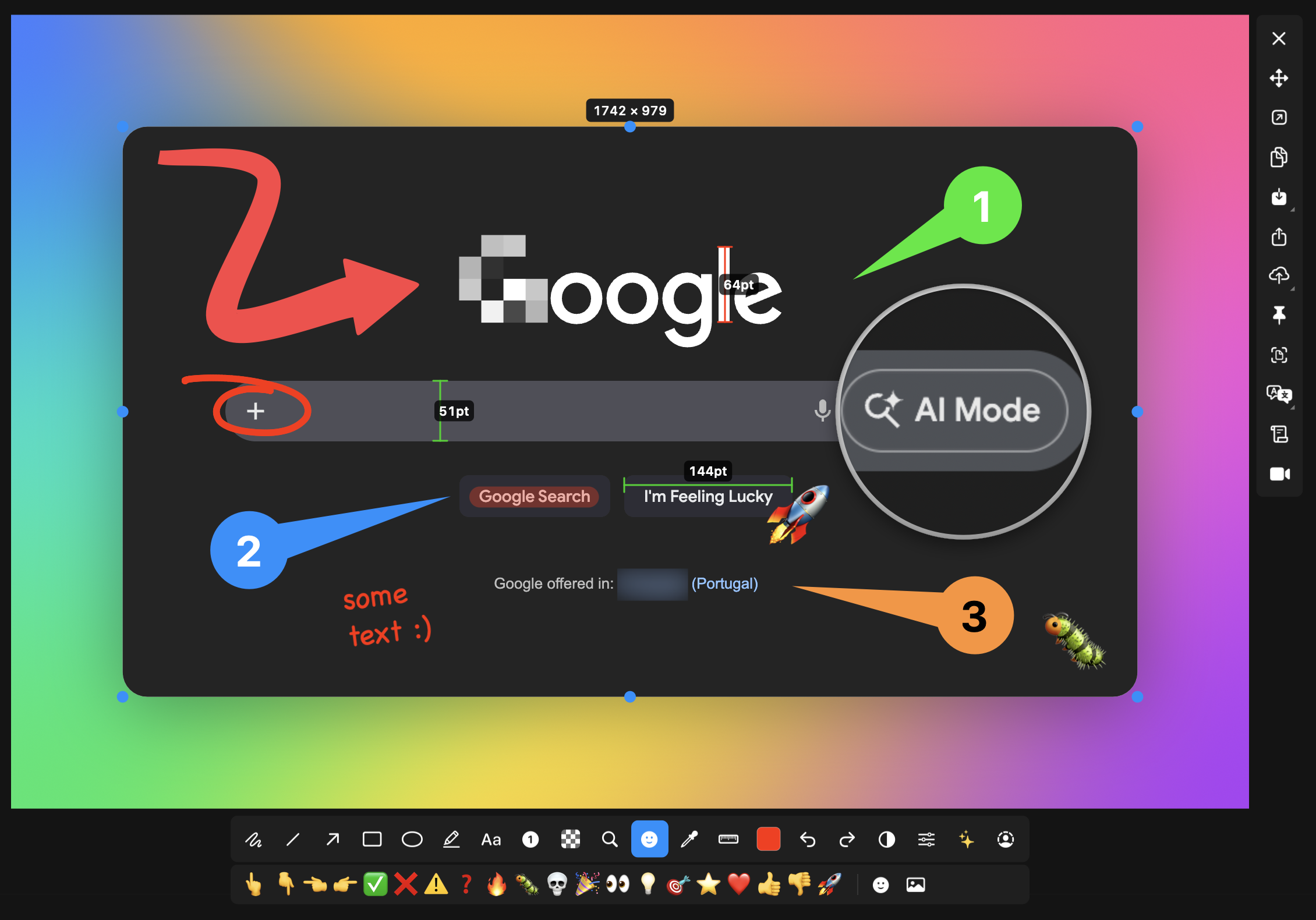
The app sits in the menu bar and is triggered by hotkeys (defaults to Cmd+Shift+X). The app immediately freezes the screen and provides a markup toolbar right on top of the selected area.
Here are the things that immediately stand out:
- Automatic hiding of sensitive data. The built-in censor can find email addresses, phone numbers, credit card numbers, and API keys, immediately blurring or filling them with solid color. There's even a smart erase mode that takes pixels from around and seamlessly removes extra text.
- Scrolling screenshot. You select the needed block, scroll the mouse wheel, and Apple's Vision framework stitches the frames into one long or wide image with a live preview on the side.
- Text and QR code recognition. With
Cmd+Shift+T, you can quickly select an area on the screen, extract text via OCR, send it to a translator for 30+ languages, or parse a link from a QR code. - Nice framing for documentation. The window can be wrapped in a standard macOS frame with control buttons, shadows, and gradient background (about 30 styles available).
Screen recording and built-in editing
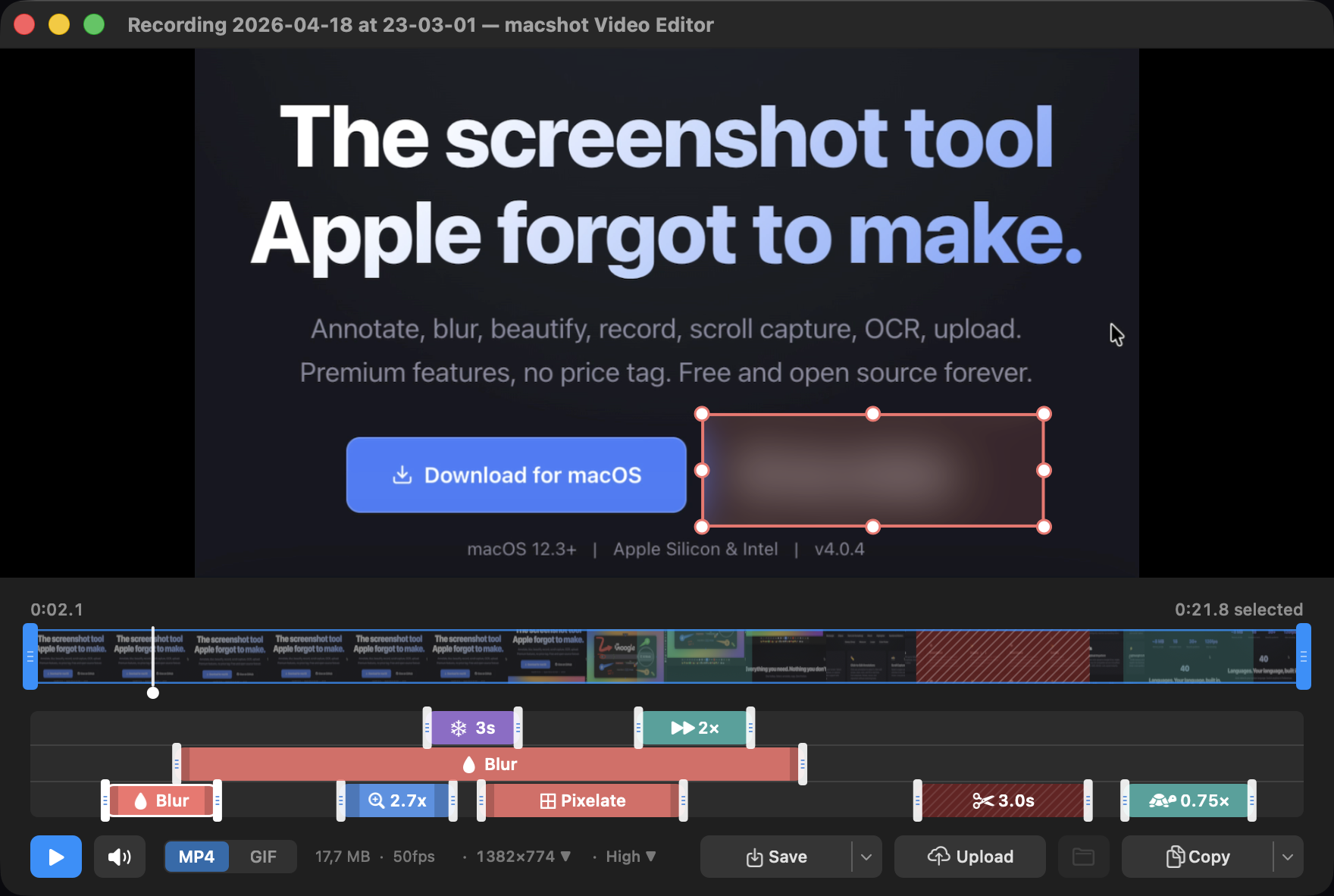
It's worth separately mentioning screen recording. The utility records video in MP4 (H.264) at up to 120 frames per second or directly to an optimized GIF.
During recording, you can capture system audio and microphone simultaneously, adjusting the volume of each track separately. If you need to record a short screencast for a colleague, macshot highlights mouse clicks and keeps a frame around the recording area. After stopping, a video editor opens where you can trim the timeline, remove sound, add zoom, or apply redaction before saving.
Upload and storage
Finished files can be exported to familiar PNG, JPEG, HEIC, WebP, and AVIF with quality adjustment and downscaling to 1x for Retina displays.
If you need to share a link right away, direct upload can be configured in settings:
- Any S3-compatible storage (MinIO, Cloudflare R2, AWS S3, Backblaze B2)
- Google Drive (to a separate app folder)
- imgbb service for quick anonymous links
The link goes to clipboard immediately after upload.
How to install
Requires macOS 12.3 (Monterey) or newer. On first launch, the system will ask to grant standard screen recording permission.
The fastest way to install is via Homebrew:
brew install --cask macshot
If you prefer manual installation, the releases page of the repository has a ready-made .dmg.
Who is it for
The project is perfect for developers, QA engineers, and technical writers who regularly need to share log snippets, UI bugs, or create step-by-step instructions with arrows and numbering.
The author doesn't accept donations and maintains the project in spare time, so it's a genuine open-source tool without intrusive banners and hidden payments.
Related projects