Rich — Your Terminal Deserves Some Beauty
Admit it — how many times have you gazed wistfully at those monotonous white lines in the terminal? In an era when even smart kettles can display animations, our console applications often look like exhibits in a computer museum. This is exactly the problem that Rich solves — a Python library that transforms ordinary terminal output into a genuine visual delight.
What Is Rich and Why Do You Need It?
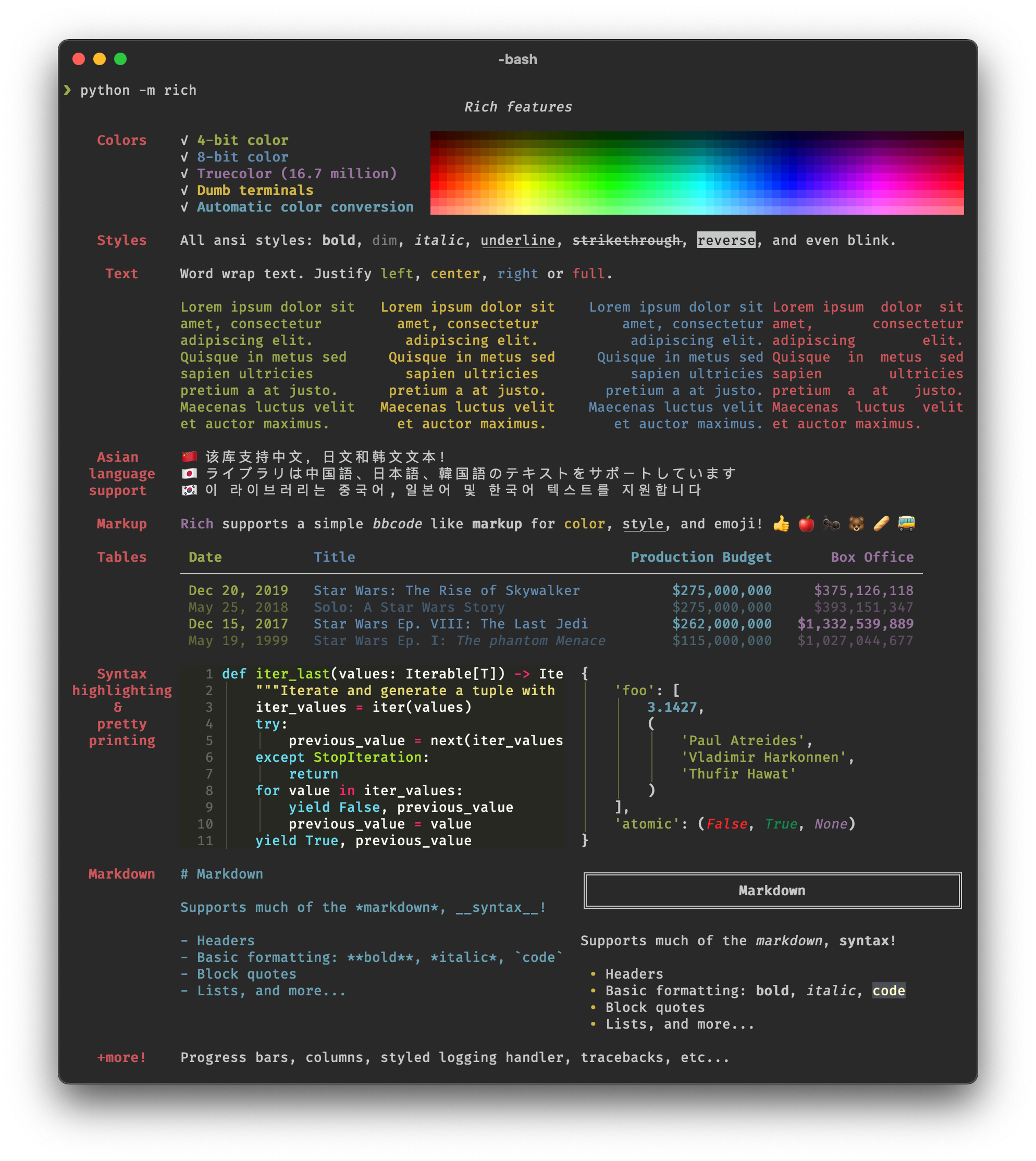
Rich is not just a library for coloring text. It's a whole toolkit for creating a rich (hence the name) user interface right in the terminal. With it, you can:
- Output beautifully formatted tables
- Show interactive progress bars
- Highlight code syntax
- Render Markdown
- Even display emojis!
Fun fact: in the 4 years the project has existed, it has been downloaded over 50 million times (according to PyPI statistics), and it has over 53 thousand stars on GitHub. Apparently, developers from all over the world are also tired of boring terminals.
5 Reasons to Try Rich Right Now
1. Rich Text Output
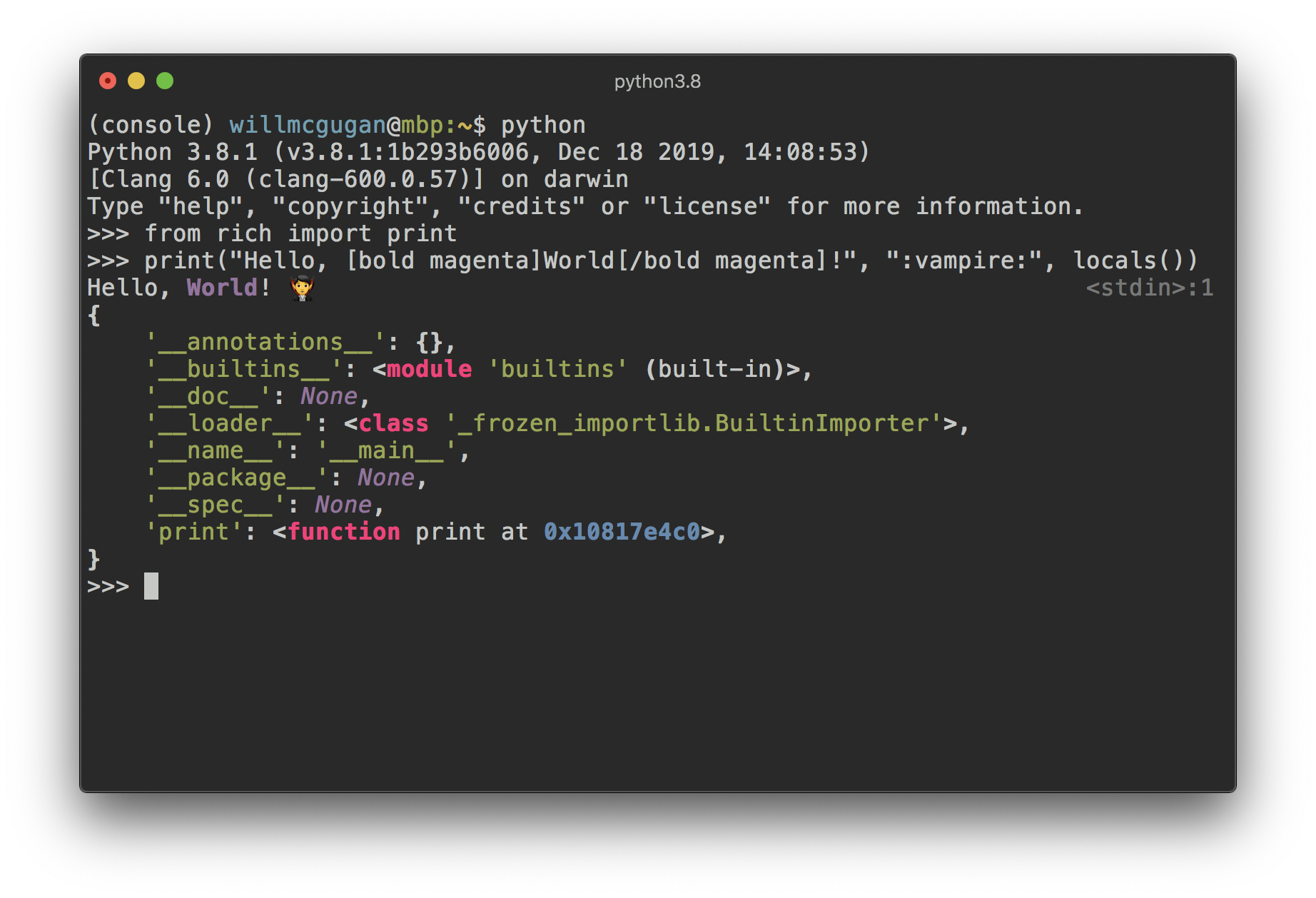
The standard print() in Python feels like a stone axe after getting acquainted with Rich. Just a few lines of code — and your text comes alive:
from rich import print

print("Hello, [bold magenta]World[/bold magenta]!", ":vampire:", locals())
2. Smart Tables
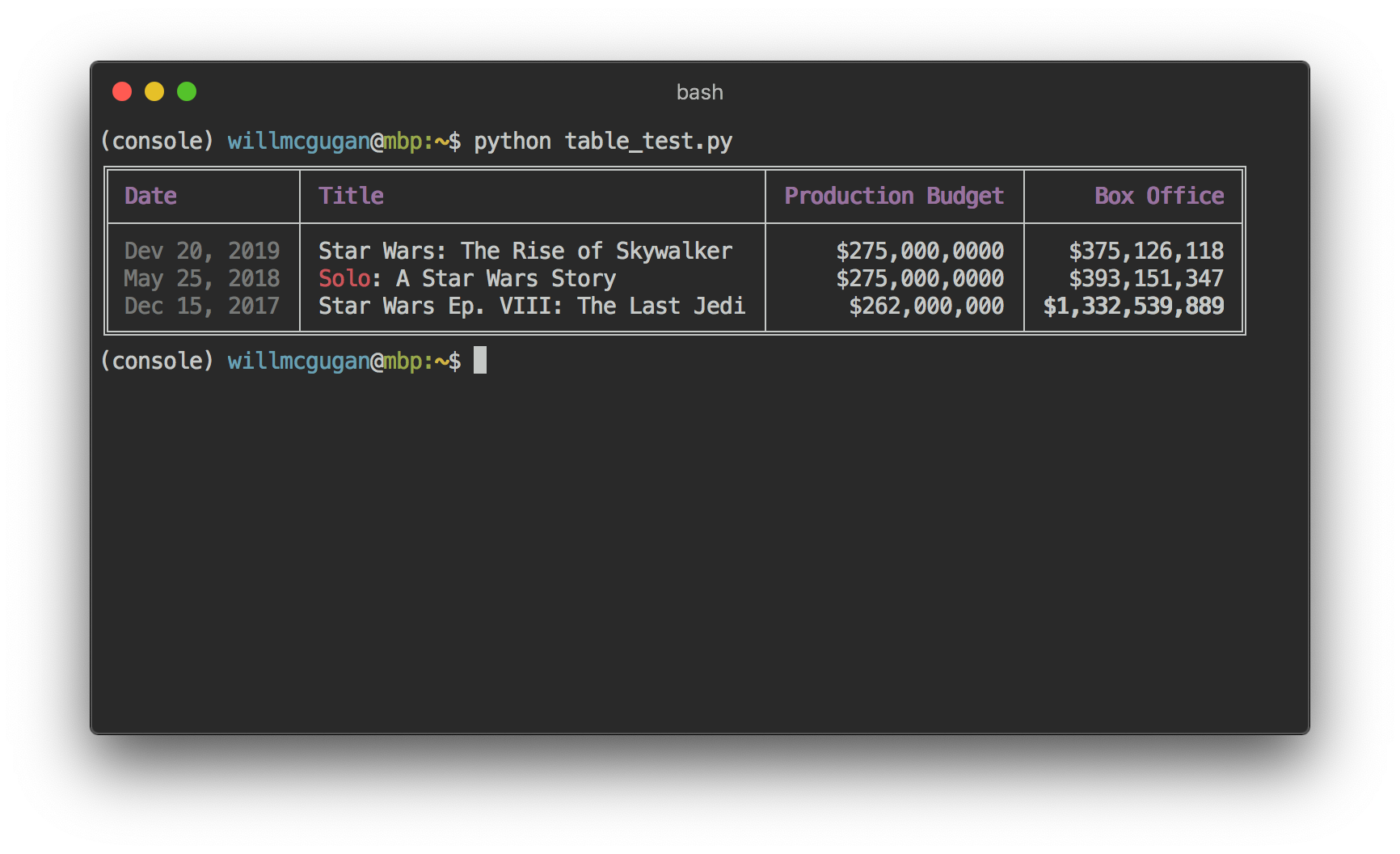
Rich automatically selects the optimal column width, wraps text, and supports Markdown formatting inside cells. Creating a table is as easy as it gets:
from rich.console import Console
from rich.table import Table

console = Console()

table = Table(show_header=True, header_style="bold magenta")
table.add_column("Date", style="dim", width=12)
table.add_column("Title")
table.add_column("Production Budget", justify="right")
table.add_row("Dec 20, 2019", "Star Wars: The Rise of Skywalker", "$275,000,000")

console.print(table)
3. Progress Bars That Don't Irritate
Long operations will no longer be a painful wait. Rich provides flexible, customizable progress bars:
from rich.progress import track

for step in track(range(100)):
    do_something()

4. Syntax Highlighting and Markdown
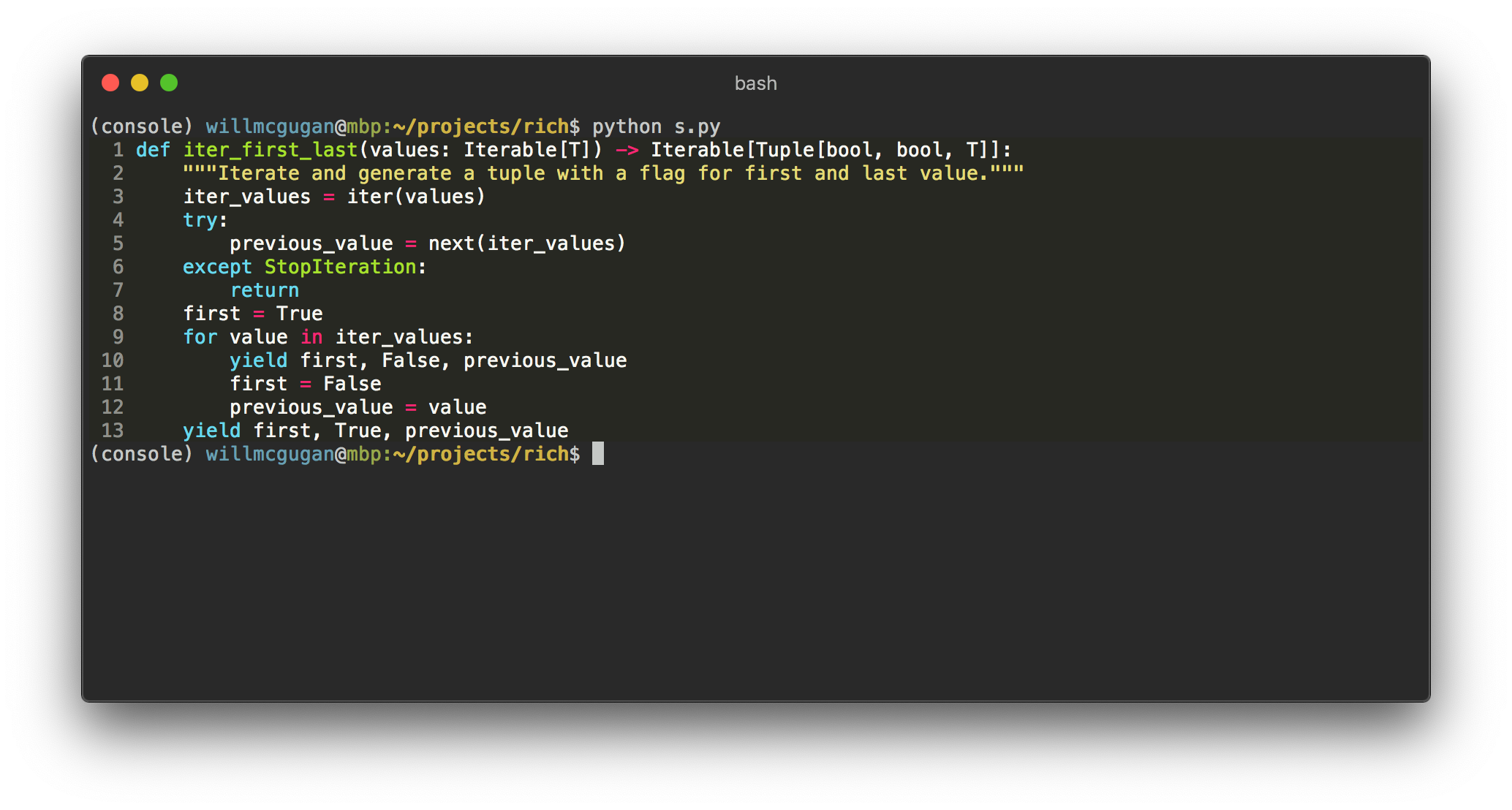
Rich uses Pygments for quality code highlighting and can render Markdown right in the terminal:
from rich.syntax import Syntax
from rich.markdown import Markdown

# Подсветка кода
syntax = Syntax(my_code, "python", theme="monokai", line_numbers=True)

# Markdown
md = Markdown("# Заголовок\n*Пункт 1*\n*Пункт 2*")
console.print(md)
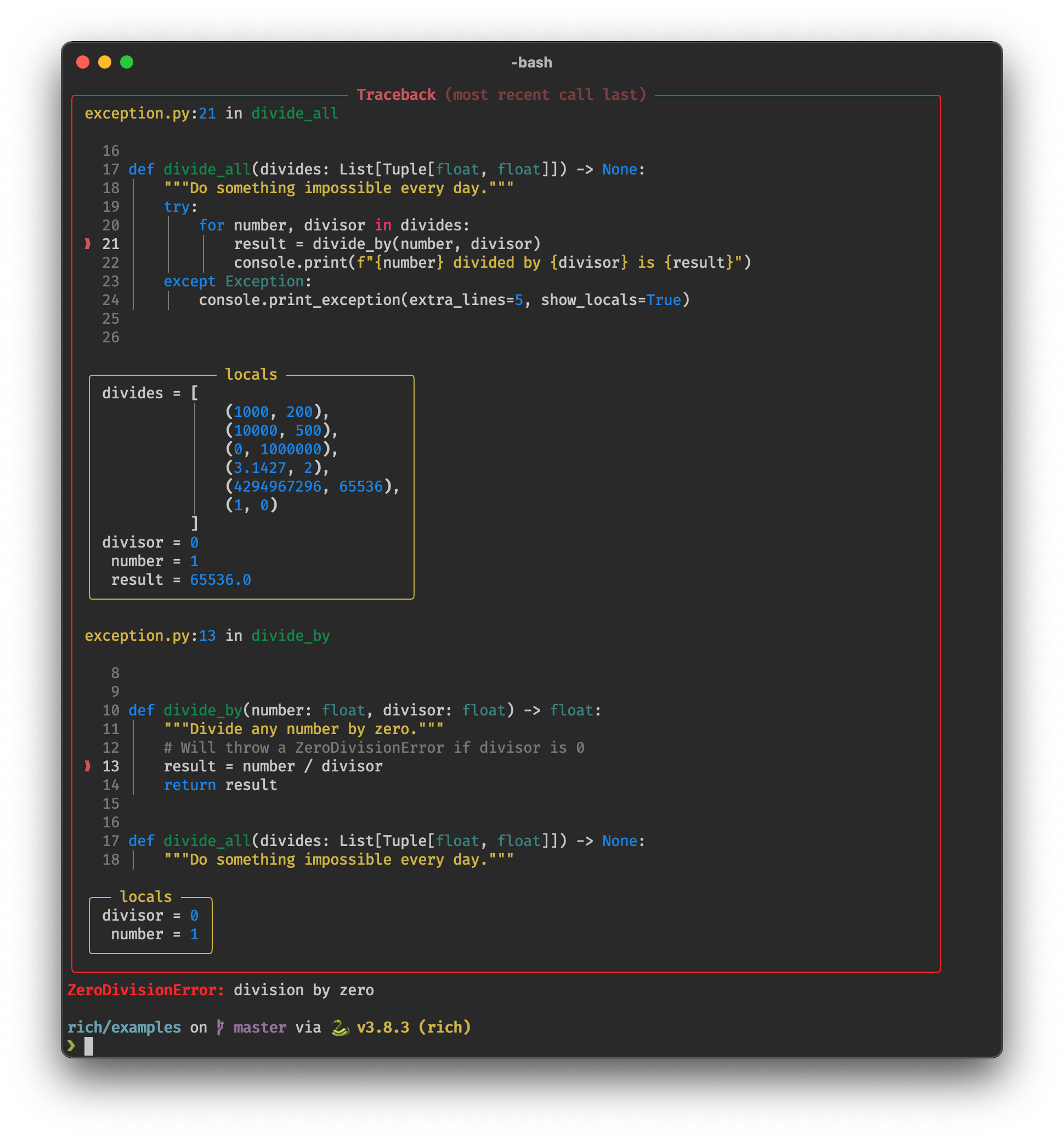
5. Beautiful Tracebacks
Python errors have never looked this attractive. Rich transforms standard tracebacks into readable reports:
How to Start Using Rich
Installation is as simple as it gets:
pip install rich
You can verify it works with this command:
python -m rich
This command will output a demo of all the library's capabilities right in your terminal.
Where Will Rich Come in Handy?
- Command-line tools: make your CLI tool pleasant to use
- Logging: color highlighting for important messages
- Prototyping: quick visual output of data structures
- Educational projects: clear presentation of information
- Server applications: real-time state monitoring
Alternatives and Competitors
Although Rich is not the only library for working with the terminal, it has several advantages:
- Ease of use: the API is intuitive
- Comprehensiveness: no need to install multiple libraries for different tasks
- Modern design: support for emoji, true color, and other "bells and whistles"
Main alternatives:
- Colorama (basic text coloring only)
- Blessings (low-level terminal access)
- Prompt Toolkit (more focused on interactive applications)
Rich is that rare case when a library not only solves a technical problem but also brings aesthetic pleasure. If you write Python scripts that run in the terminal, spend 5 minutes getting acquainted with Rich — and you won't be able to live without it.
I especially recommend trying it to:
- CLI utility developers
- Those working with large volumes of logs
- Programming instructors
- Anyone tired of boring monochrome terminals
Have you already tried Rich? How do you use it in your projects? Share in the comments!
Related projects