Full SEO Audit Right in the Terminal with the Claude SEO Plugin

A typical SEO audit usually turns into a chore. You open Ahrefs or Screaming Frog, export gigabytes of CSV tables, then spend a long time trying to figure out which of the five hundred errors found actually affect traffic and which are just noise. After that, you have to manually transfer tasks to the developers' backlog.
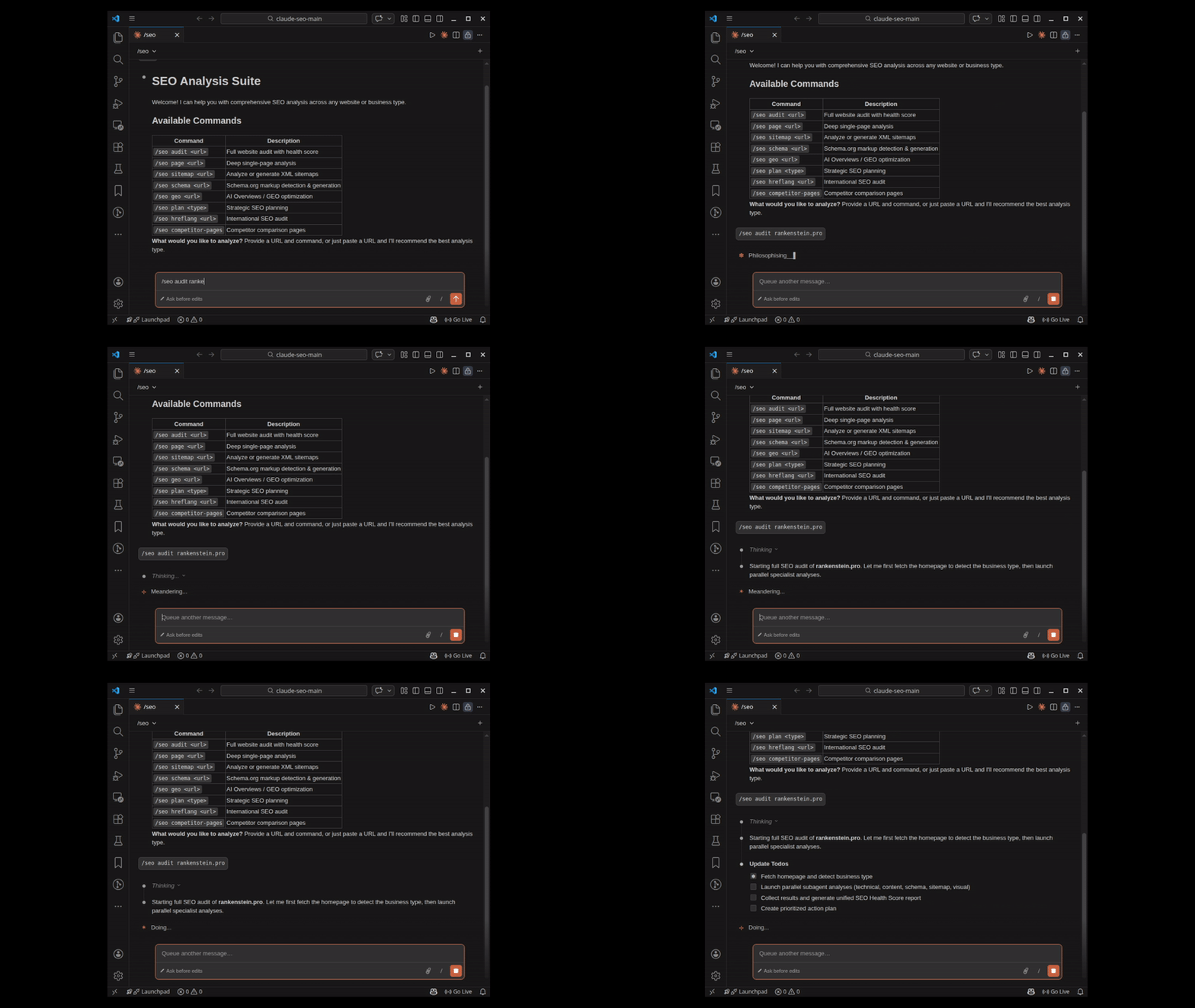
Recently I stumbled upon an open-source project claude-seo. It's an extension for the Claude Code CLI tool that handles all the routine SEO analysis work and delivers a ready-made roadmap right in the console.
What makes this tool interesting
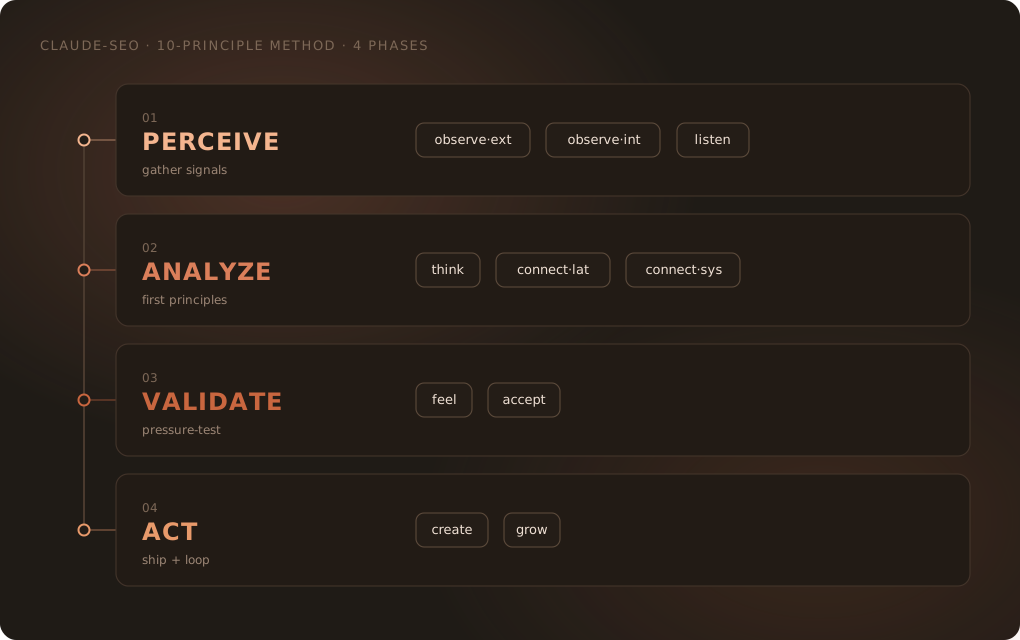
The project solves the main problem with most SEO services: it doesn't just generate a wall of metrics, but builds verification around falsifiability. Each recommendation in the report has four required fields:
- Observation from source (what the conclusion is based on)
- Connection to other tasks in the dependency graph
- Clear verification criteria ("how to tell if the hypothesis didn't work")
- Leading indicator for tracking results
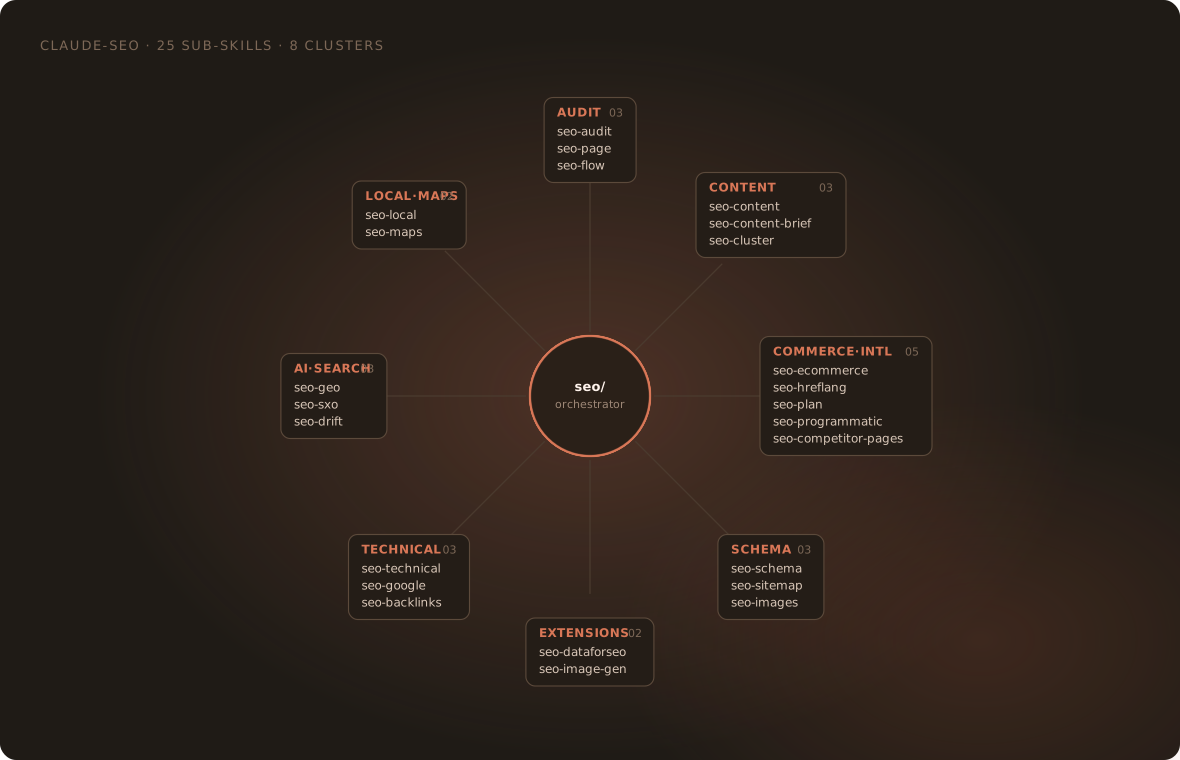
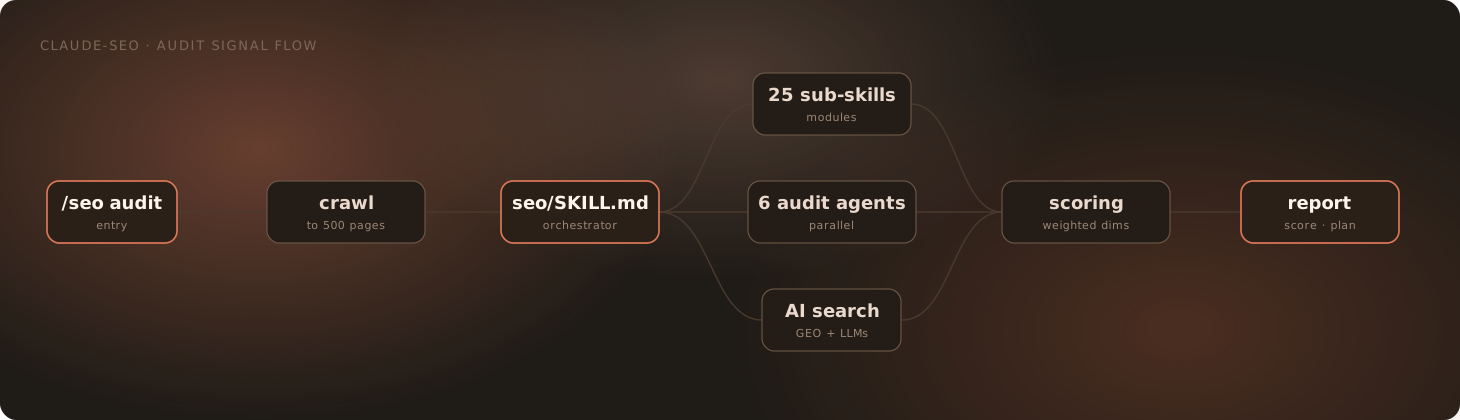
Inside the plugin, there are 25 submodules and 18 specialized agents at work. When you run a site audit, the system spins up to 15 parallel processes. They simultaneously analyze the technical side, Schema.org microdata validity, content quality according to E-E-A-T guidelines, and page readiness for search AI answers (GEO).
Focus on the new type of search results
The project developer oriented toward current Google guidelines on AI optimization. The tool evaluates the quotability of text blocks (ideal snippet is 134 to 167 words with a comprehensive answer to the question), fact attribution density, and brand presence on external platforms like Reddit, YouTube, and LinkedIn.
At the same time, the author openly debunks popular myths. Based on primary sources, the plugin takes into account that the robots.txt file currently doesn't affect Google citations, artificial content splitting into chunks isn't required, and rewriting texts for AI keywords is pointless — search engines are fine with understanding synonyms.
What the plugin can do in practice
The tool adds 32 commands to the Claude Code interface. Here are the main areas of work:
Quick audit and technical analysis
The /seo audit https://example.com command runs a parallel check of the entire site. If you need an analysis of a single page, the /seo page command gives you an exact slice of headings, meta tags, and structure. Technical metrics are checked via /seo technical — it tracks Core Web Vitals (LCP, INP, CLS) without outdated parameters like FID.
Schema.org validation
Using /seo schema, you can find existing JSON-LD blocks, verify their correctness, and immediately generate missing markup. The plugin knows about the deprecation of rich-results for FAQ and HowTo, so it won't suggest wasting time on outdated schema types.
Local SEO and marketplaces
The /seo local and /seo maps commands analyze Google Business Profile signals, address and phone number (NAP) consistency across directories, and review sentiment. To protect sites from doorway page penalties, the plugin has built-in limits on the number of geo-pages.
How to install and run
The tool requires Claude Code CLI and Python 3.10 or newer to be installed. The plugin is installed with a single command inside Claude Code:
/plugin marketplace add AgriciDaniel/claude-seo
/plugin install claude-seo@agricidaniel-claude-seo
/seo setup
The /seo setup command creates an isolated Python environment in the plugin folder and downloads Chromium for Playwright. Global packages are not installed in the system.
If you prefer a regular bash script:
git clone --depth 1 https://github.com/AgriciDaniel/claude-seo.git
bash claude-seo/install.sh
After installation, you can immediately call the commands:
# Запустить аудит сайта
/seo audit https://mysite.com

# Проверить разметку Schema
/seo schema https://mysite.com/product/123

# Оценить готовность контента к AI-выдаче
/seo geo https://mysite.com/blog/article
Working with API and extensions
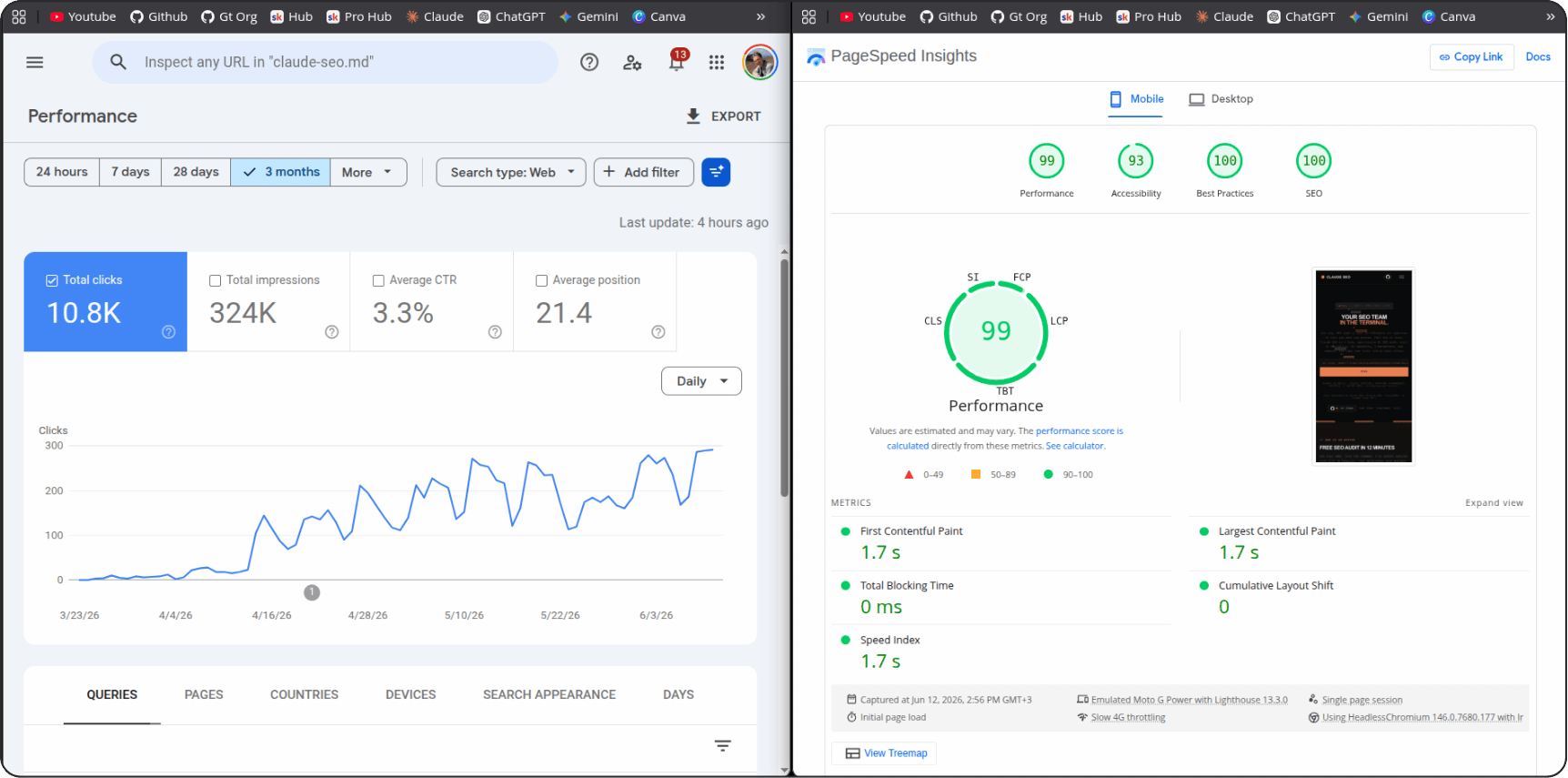
The plugin's basic functionality works locally and for free. It doesn't need API keys to parse pages and build reports. But if you connect Google keys, additional possibilities open up:
- At the basic level (API key), real PageSpeed Insights data and 25-week CrUX trends are pulled in.
- When connecting OAuth or a service account, integration with Google Search Console and Indexing API is added.
- Connecting GA4 provides organic traffic and landing page analytics.
- For developers, Google Ads API connection is available for estimating search demand volume.
Additionally, external MCP servers are supported: Ahrefs, DataForSEO, Firecrawl, Unlighthouse, and SE Ranking.
Where the tool will come in handy
- Internal development and SEO teams. Convenient to run
/seo audita day before a sprint or before a release to catch broken canonicals, hydration issues on Next.js, or broken markup. - Freelancers. During a client call, you can put together a full Markdown report with scores from 0 to 100 and a clear list of fixes in 10 minutes.
- Agencies. Instead of manually compiling quarterly reports, you can set up a weekly script run and track regressions using the
/seo driftmodule.
Limitations and weaknesses
The tool isn't perfect. On pages with heavy Client-Side Rendering (CSR) or tricky hydration that depends on user scroll, the headless renderer sometimes misses content, creating false positives. In such cases, the author recommends running the seo-visual sub-agent and comparing its snapshot with the raw HTML render.
The second point — without external paid APIs (Ahrefs or DataForSEO), you won't get a full competitor backlink analysis. The plugin excels at On-Page and technical audits, but Off-Page data is limited to free sources like Bing or Common Crawl.
claude-seo is a good example of how LLM agents can simplify routine analytics. The project is distributed under the MIT license, the code is fully open, and the plugin doesn't send your data to third-party servers. If you use Claude Code in your daily work and deal with web development in any way, installing and testing this tool is definitely worth it.
Related projects