Wallabag: Create Your Own Distraction-Free Reading Corner
Sound familiar? You're scrolling through your news feed or exploring a new technology, you find an article that seems incredibly interesting, but you don't have time to read it right now. You save the tab, then another one, and another... And now your browser is cluttered with dozens, or even hundreds, of open pages that will never be read. Or worse — you finally get around to reading an article, only to find intrusive ads, pop-ups, and all the other "delights" of the modern web that completely kill any desire to focus on the content.
If this sounds like you, today I want to tell you about a project that could be your salvation — Wallabag. It's not just another "read it later" app, but a full-featured self-hosted platform that gives you complete control over how and when you consume content from the internet.
What is Wallabag and why do you need it?
Wallabag is essentially your personal, fully customizable Pocket or Instapaper, but with one key difference: it's yours. You install it on your own server, control your data, and can be confident that your article archive won't disappear due to a change in the service's policy or the service shutting down. The main goal of Wallabag is to give you the ability to save any web pages for later reading in a clean, distraction-free format.
Who would benefit from this? Pretty much anyone who actively consumes information from the internet: developers, researchers, students, journalists, or anyone who values clean and comfortable reading. Imagine: you found an in-depth technical guide, but right now your mind is occupied with a deadline. You send it to Wallabag, and in the evening, when all tasks are done, you calmly open it and read without being distracted by banners or pop-up notifications.
Key features of Wallabag: Diving into the details
Wallabag wouldn't be so popular (it has over 12,000 stars on GitHub, by the way!) if it didn't offer genuinely useful features. Let's look at the most interesting ones.
1. Saving content with one click
The process of adding an article to Wallabag is as simple as it gets. You can use browser extensions (for example, Wallabagger for Chrome and Firefox), mobile apps for Android and iOS, or simply paste a URL in the web interface. One click — and the page is already in your personal archive.
2. The magic of cleaning: Read only what matters
This, in my opinion, is one of the most valuable features. Wallabag doesn't just save the entire page; it extracts the main content. This means you get clean article text, images, links — everything that's really important. All site navigation, ad blocks, comments (unless they're part of the main content), and other "noise" simply disappear. The result? Maximum immersion in the material. Forget about fighting with annoying elements — Wallabag does it for you.
See what it looks like:
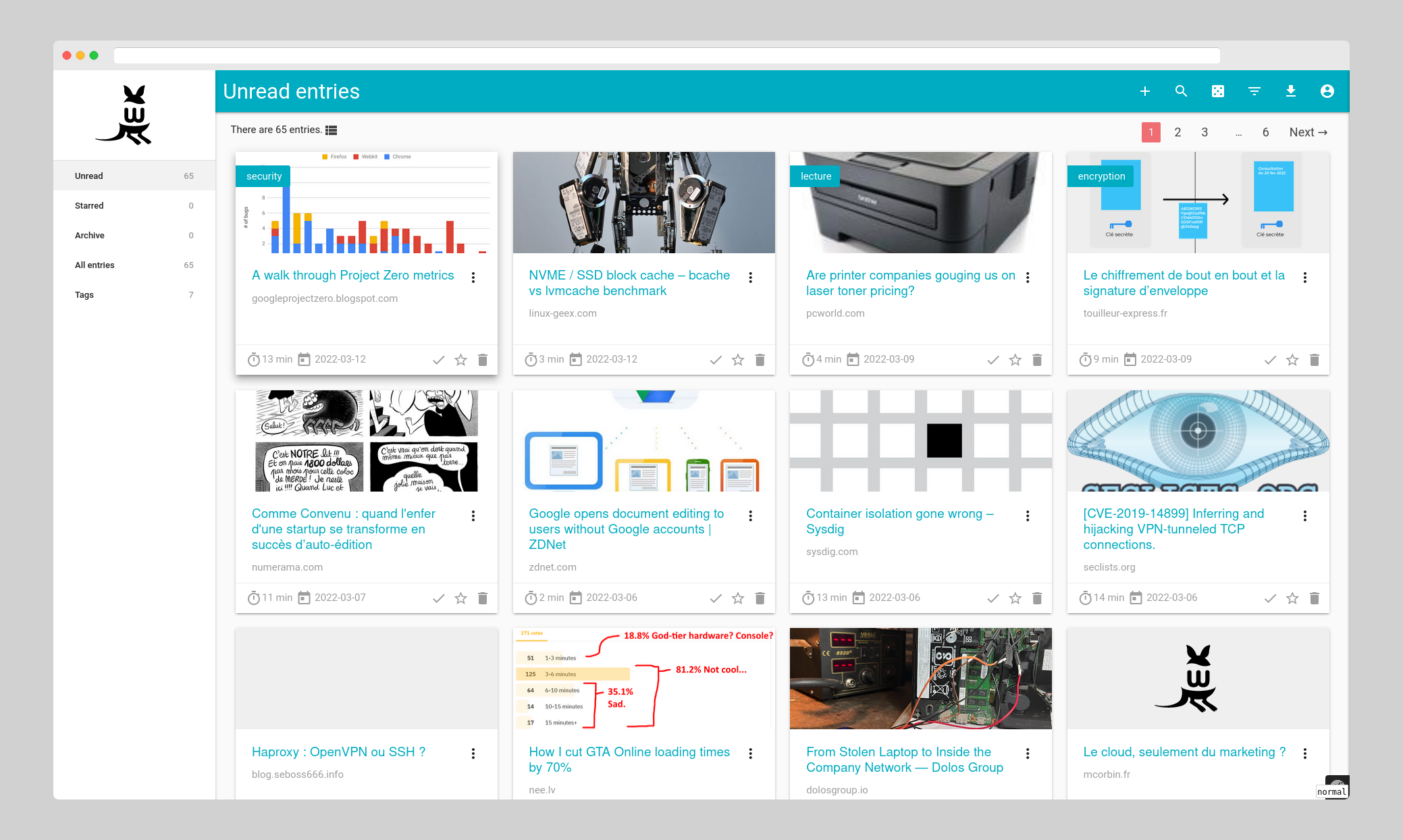
3. Your content, anywhere: The Wallabag ecosystem
Saved articles won't only be accessible through the web interface. Thanks to the mobile apps and browser extensions mentioned above, you can read your materials on any device, at any time. Riding the subway, waiting for coffee, or just decided to take a break from your computer — your personal archive is always at your fingertips. There's even an app for GNOME (Linux), although it's not officially supported by the Wallabag team.
4. Full control over your data: Self-hosting
In a world where privacy is becoming increasingly valuable, the ability to host your own data is a huge plus. Wallabag allows you to install it on your own server (virtual or physical), which guarantees that your saved articles remain yours alone. No third-party servers, no analytics, no data collection. You own your data.
Under the hood: How Wallabag works
Wallabag is written in PHP and built on the popular Symfony framework. This makes it flexible and extensible for anyone who wants to contribute. The content extraction magic is handled by the Graby, php-readability, and ftr- site-config libraries, which masterfully handle the task of "separating the wheat from the chaff" on web pages.
Installation doesn't present major difficulties for an experienced developer. Just clone the repository and run a few commands:
git clone https://github.com/wallabag/wallabag.git
cd wallabag && make install
Of course, you'll need to configure a virtual host, but detailed documentation (doc.wallabag.org) will help you handle that without issues. By the way, the project is actively developed, and the team is always happy to receive help with translations or development.
Wallabag in action: Use cases for developers and beyond
Where does Wallabag shine the most?
- For developers: Save articles about new technologies, tutorials, documentation, code examples. Create your own personal knowledge base, accessible in a clean, distraction-free format. I often find that articles on Medium or Habr get cluttered with extra elements — Wallabag easily removes that.
- For researchers and students: Accumulate scientific articles, publications, thesis materials. Organize them with tags so you can easily find the information you need later.
- For everyday reading: If you enjoy reading long-form articles, analytical pieces, or just interesting articles on the internet, Wallabag makes this process much more enjoyable and productive. No ads, no suddenly appearing videos — just you and the text.
- For privacy-conscious users: You don't want anyone knowing what you're reading, and you certainly don't want to be a product for advertising algorithms. Wallabag on your server completely solves this problem.
Verdict: Is Wallabag worth trying?
Absolutely yes, if you value clean reading, want to control your data, and are tired of information noise. Wallabag is a powerful, yet simple-to-use tool that brings back the joy of reading on the internet.
It's ideal for those willing to spend a bit of time setting up their own server in exchange for freedom and comfort. If you're already familiar with self-hosted solutions, Wallabag will easily fit into your arsenal. It's not just a utility — it's a philosophy of mindful content consumption that lets you read what's important, when it's convenient, and the way it should be — distraction-free.
Try Wallabag, and maybe you'll stop losing interesting articles and fall in love with reading again!
Related projects