How Ongrid's On-Call Assistant Investigates Incidents Directly in Messengers
Imagine a typical on-call scenario. At three in the morning, an alert goes off: API response times have spiked fivefold. You groggily open your laptop, squint through a dozen dashboards in Grafana, then SSH into nodes through a bastion host and frantically grep through logs. Finding the root cause takes half an hour, when the issue was just a crashed pod or a stuck transaction.
The authors of the open-source project Ongrid decided to offload this routine to a combination of specialized AI agents and a ready-made observability stack.
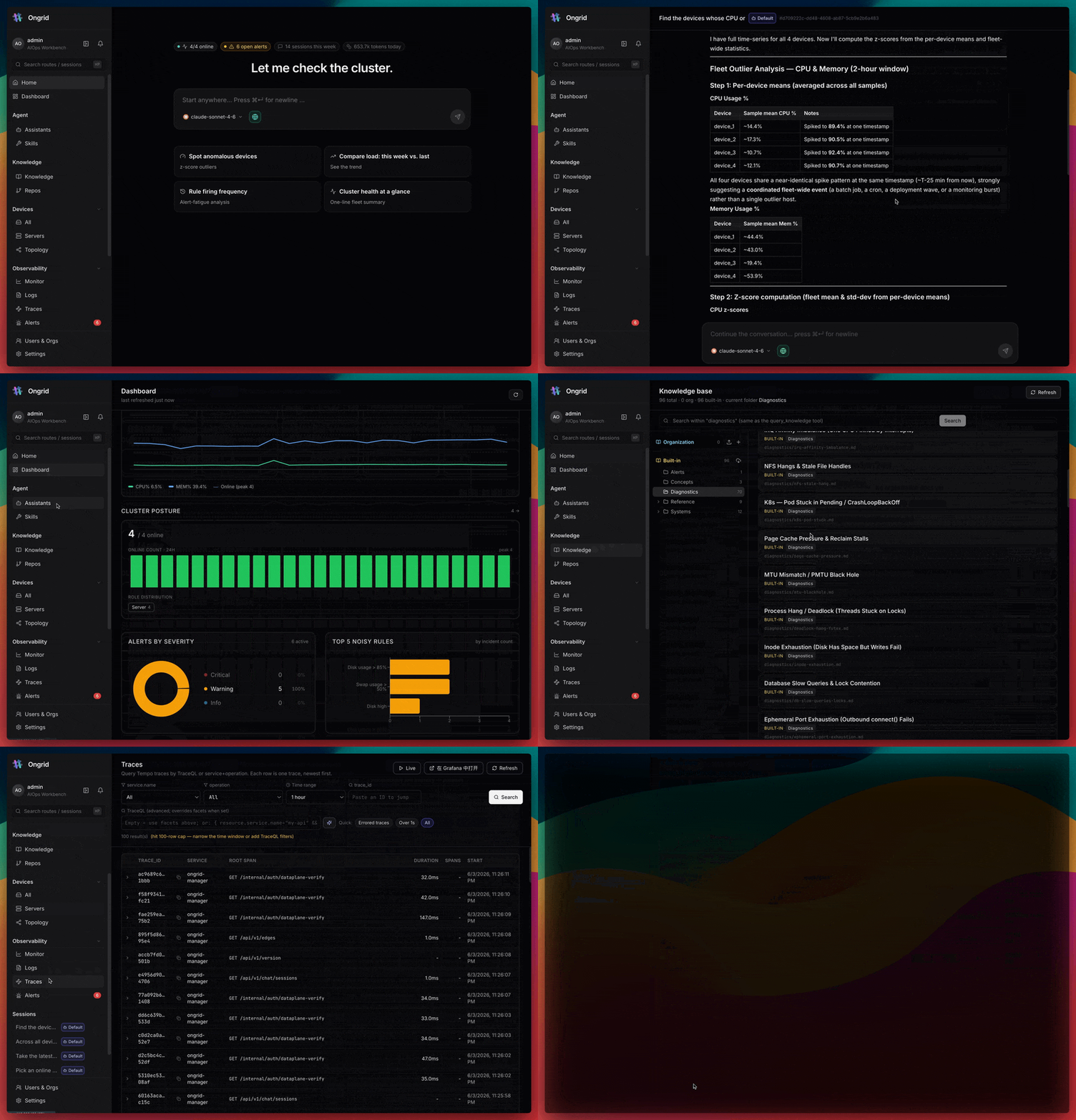
What the system can do
Ongrid works as an autonomous on-call engineer. It connects to messengers like Telegram or Slack, listens for incoming alerts, and immediately starts investigating.
The system is built on a coordinator and narrow specialists architecture. When an alert comes in, the main agent creates a worker for root cause analysis. This worker queries agents for databases, networks, or SRE, collects metrics, logs, and traces, builds a dependency map, and delivers a ready report to the chat pointing to the specific line of code or failing service.
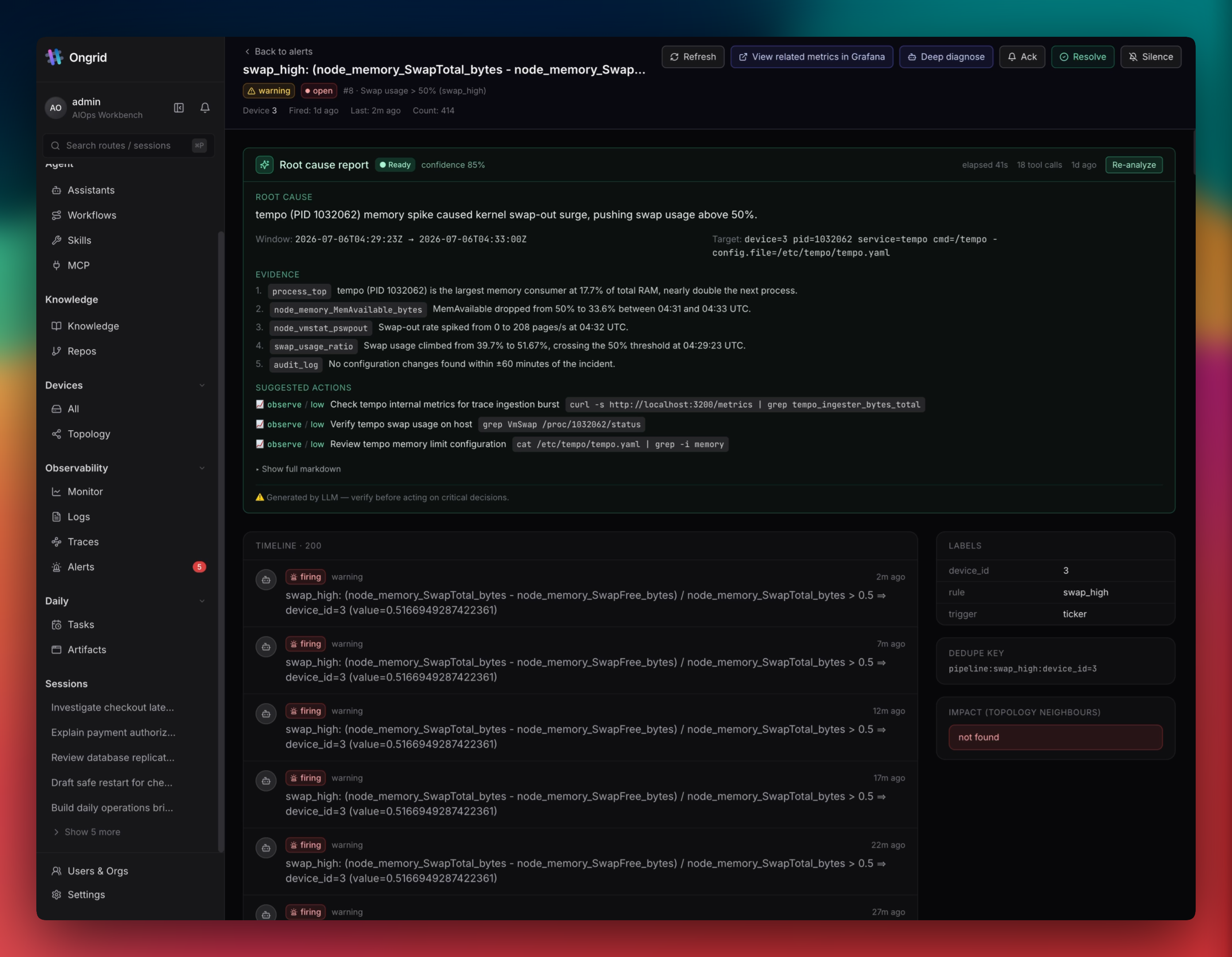
Security and access control
Every sysadmin's worst nightmare when hearing "an agent in production" is model hallucination that executes a dangerous command and brings down the database. Ongrid's developers approached this pragmatically.
First, host utilities and the bash sandbox run in read-only mode by default. The agent can execute diagnostic commands, check process status, or inspect socket states, but won't silently reboot the server.
Second, all potentially destructive actions are protected by a special approval gateway. Before applying a fix, the bot will request approval from the on-call engineer in the chat or web interface.
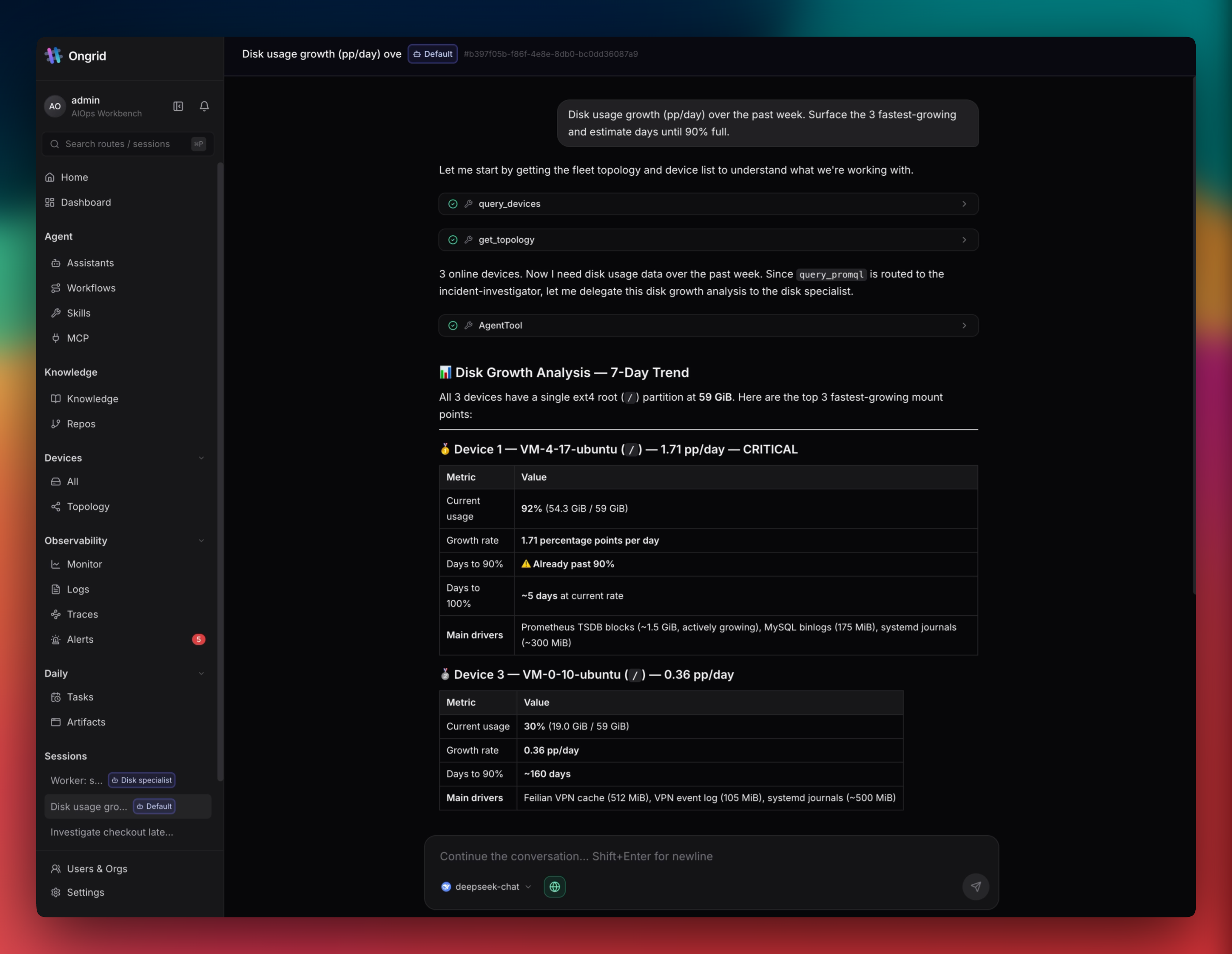
Third, hosts don't need any open inbound ports at all. A lightweight Edge agent is installed on target servers, which establishes an outgoing connection to the Ongrid server itself. SSH access via web terminal works over a reverse tunnel, without forwarding port 22 outward and without fiddling with keys on bastion hosts. Each invocation is logged for audit purposes.
Observability, topology, and Kubernetes
Inside the box, a pre-configured stack of Prometheus, Loki, Tempo, and Grafana is already set up. The difference is that the agent itself writes queries to them, correlating event timestamps with OpenTelemetry traces.
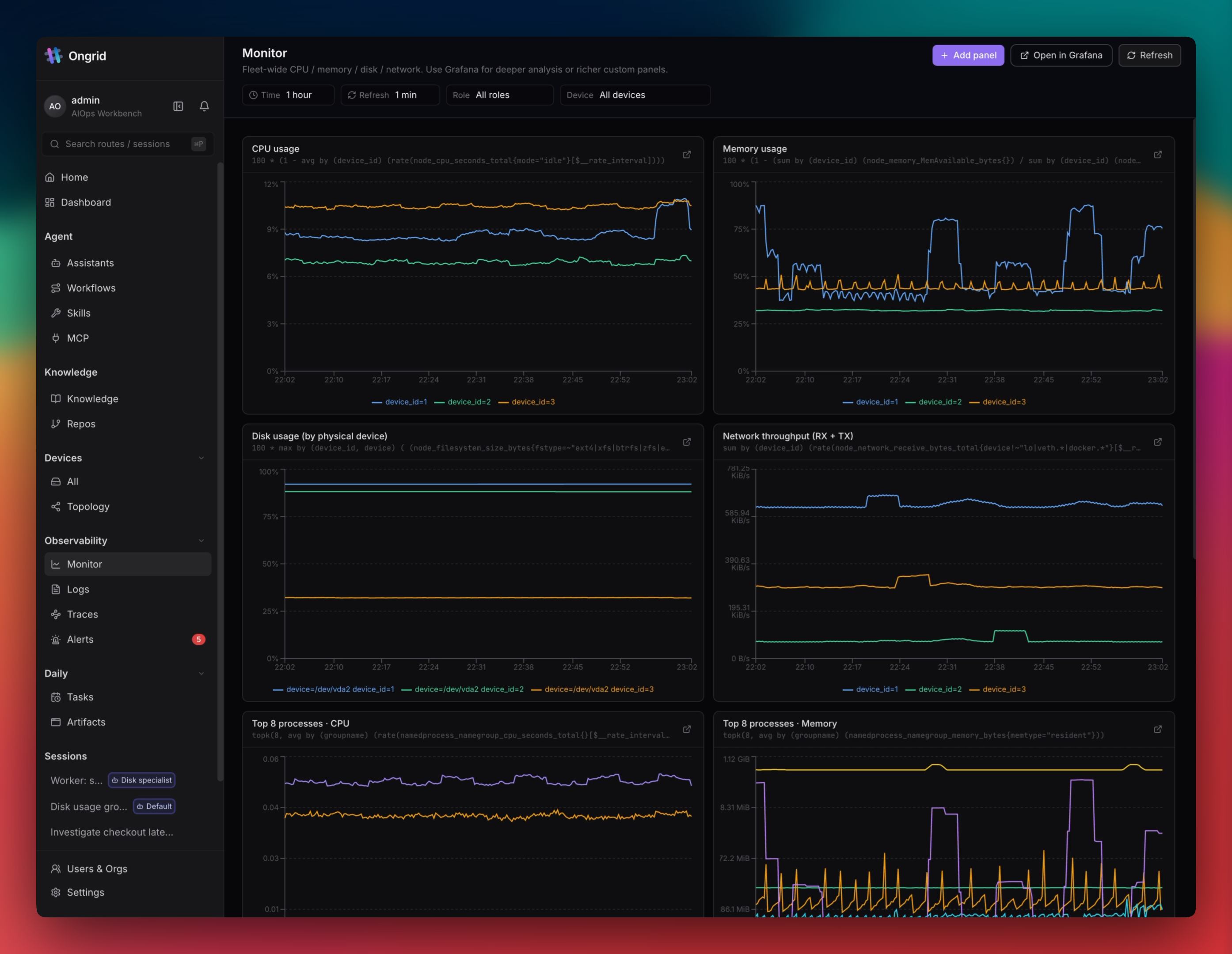
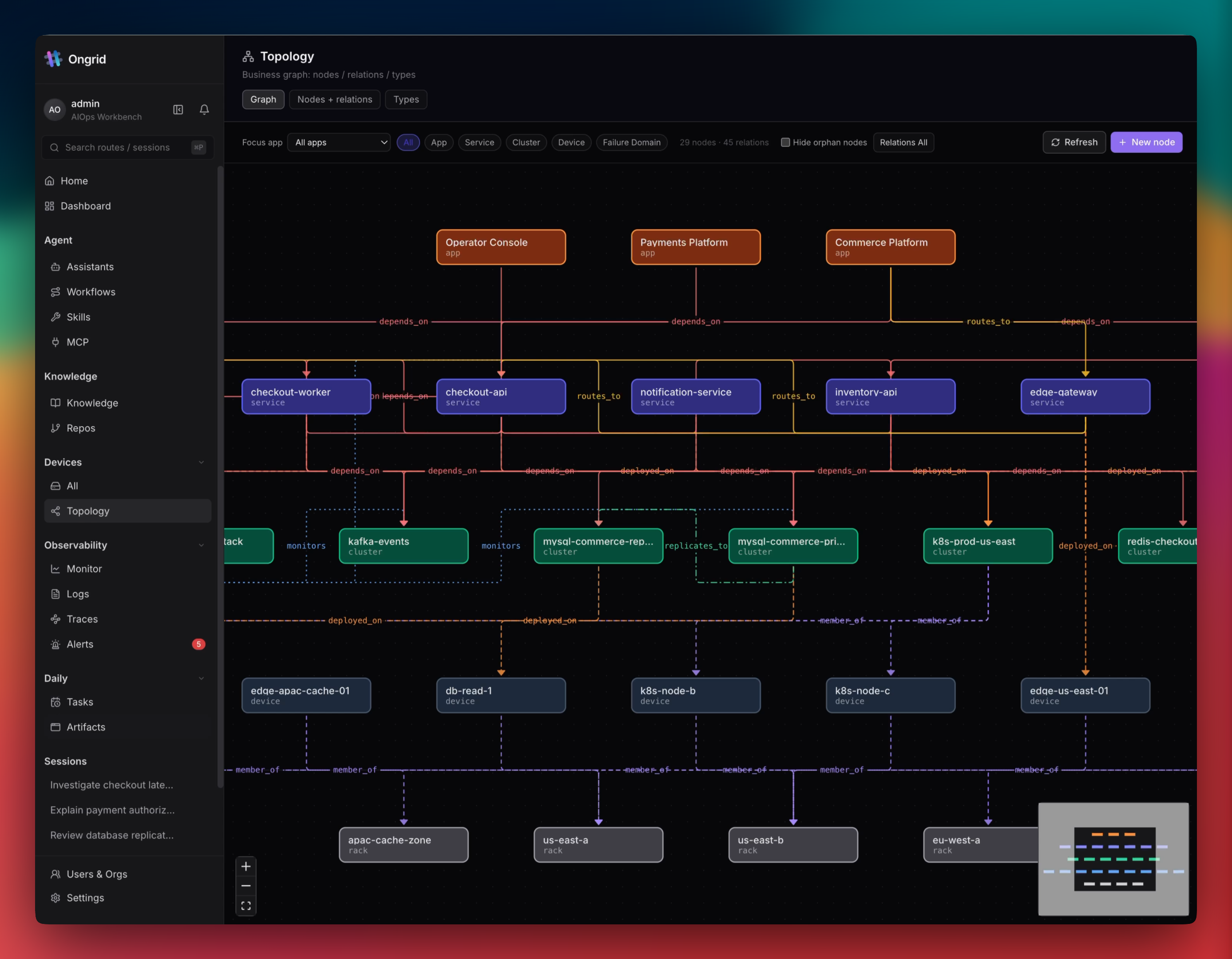
Kubernetes cluster management was recently added to the project. The agent connects clusters via Edge, tracks workload events, helps manage upgrades, and projects pods onto a shared topology map.

The topology map helps assess the blast radius of an incident. If a network switch or database goes down, the system visualizes all dependent services, filtering out false positives.
Knowledge base and skill expansion
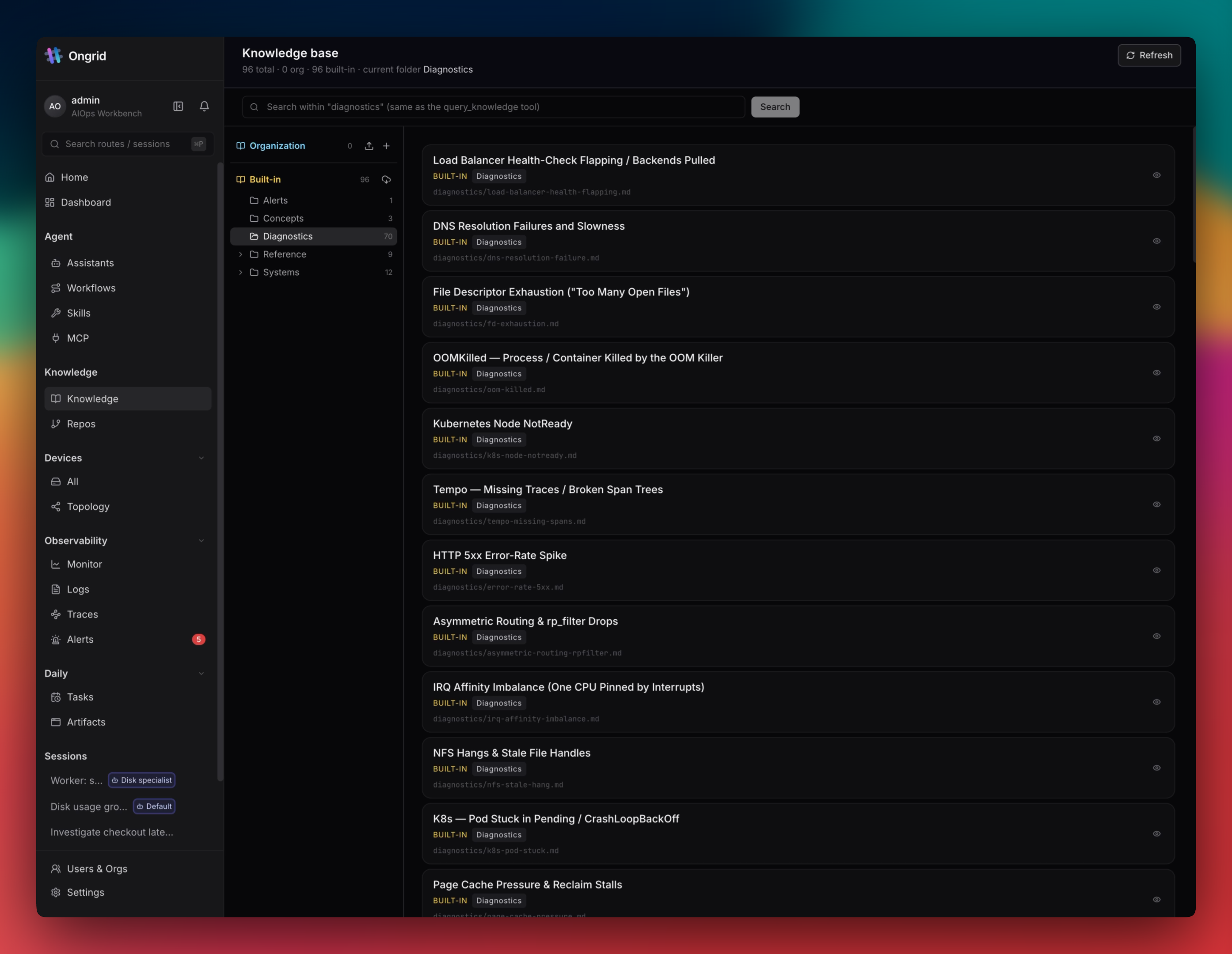
Any LLM is useless without context about your infrastructure. Ongrid includes a knowledge vault where you can upload runbooks, past postmortems, and code repositories. Qdrant-based vector search finds relevant instructions and feeds them to the agent during incident analysis.
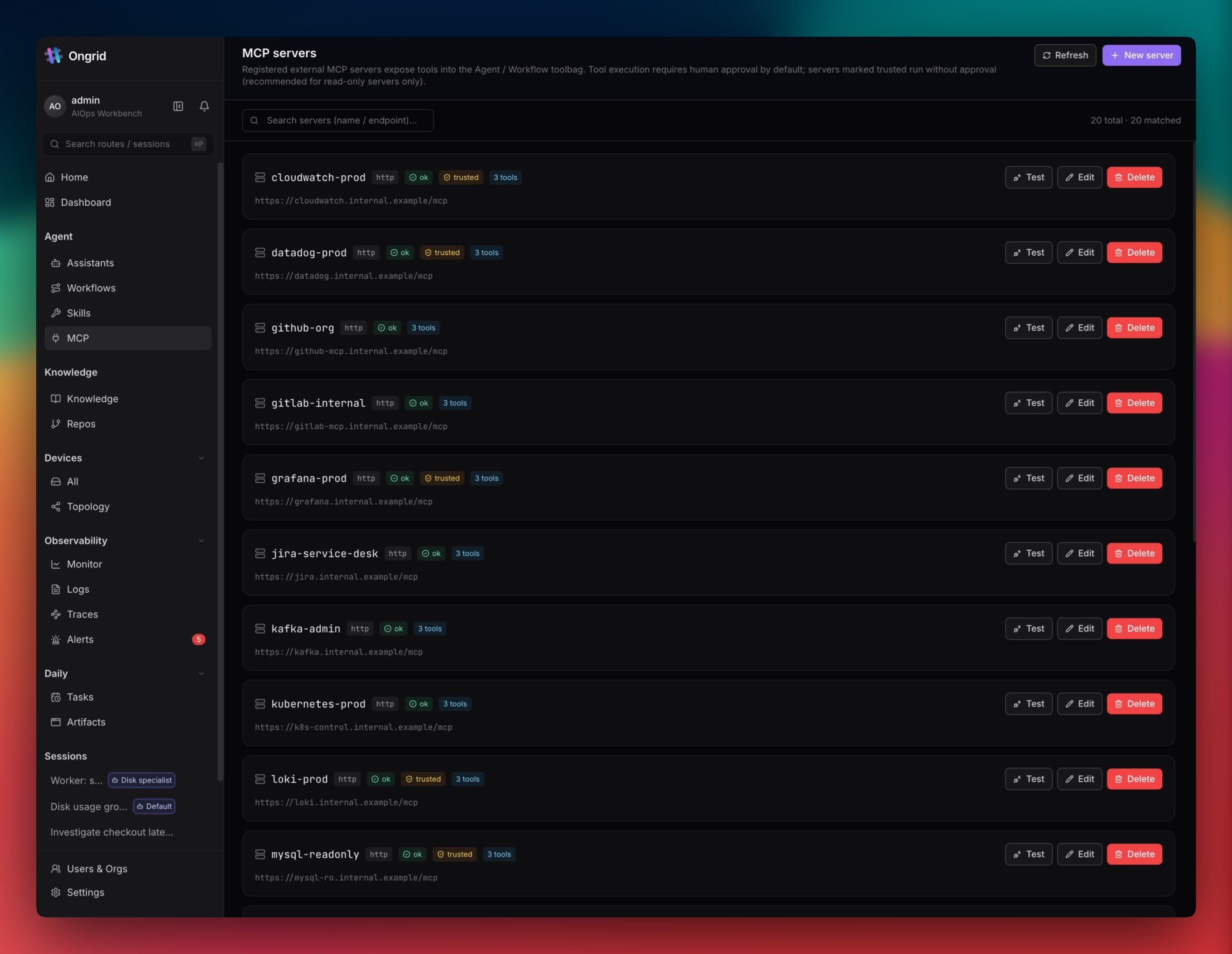
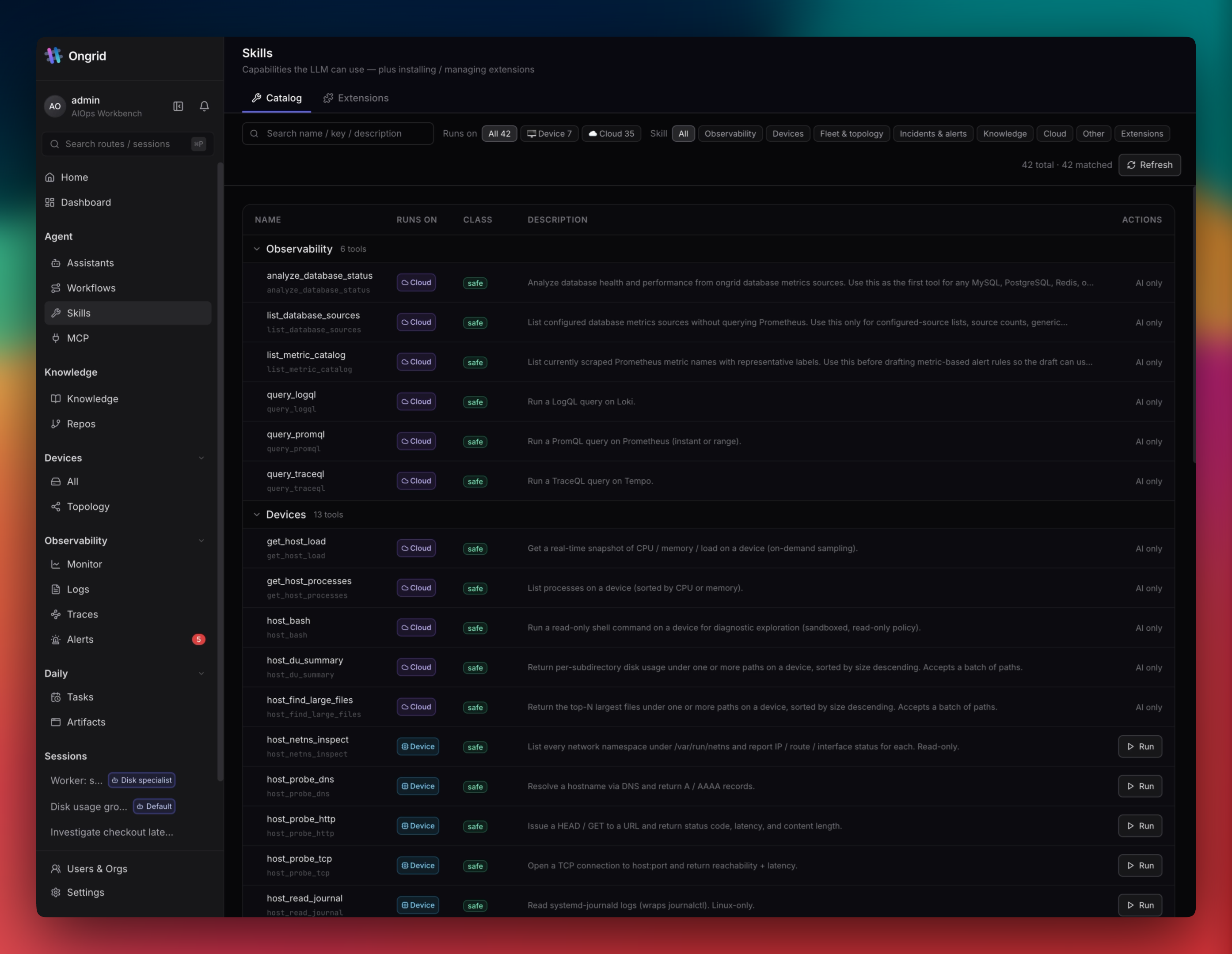
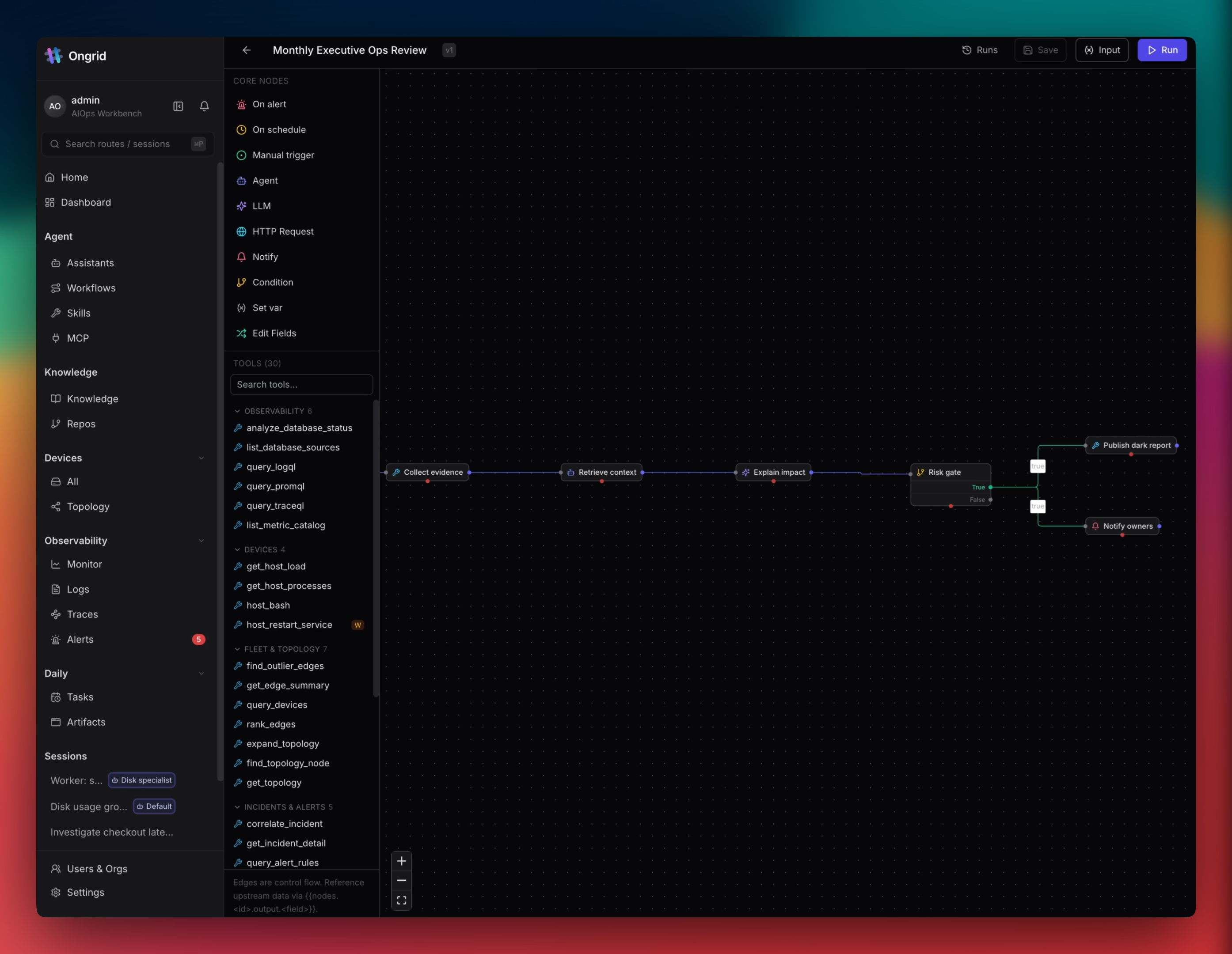
If standard tools aren't enough, you can add more via the MCP (Model Context Protocol) or build your own scenario in the visual workflow editor.
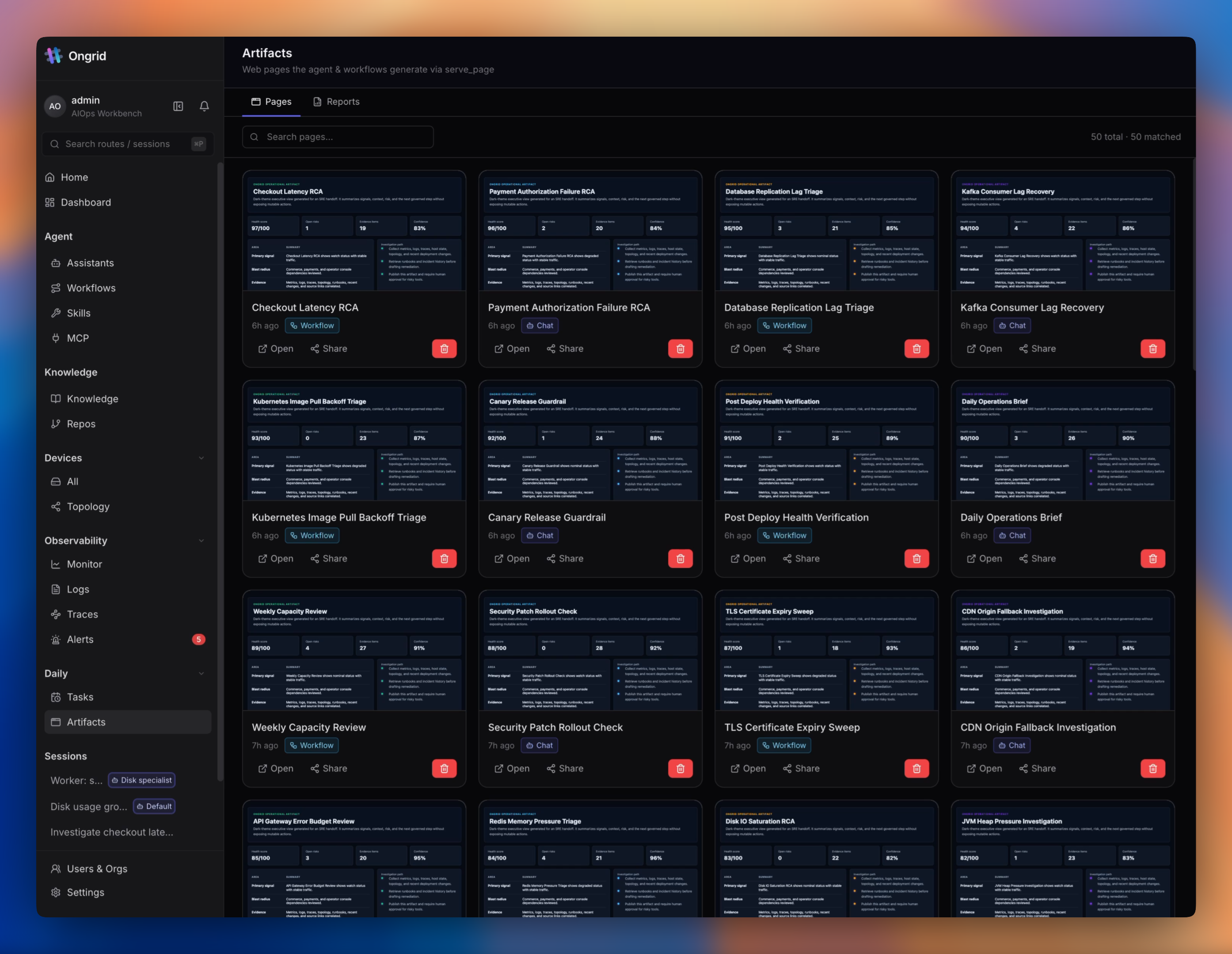
Generated reports and dashboards are saved in the artifacts center, where they're easy to share with the team during postmortems.
Under the hood and model stack
The platform backend is written in Go, and the frontend is built with React and TypeScript. The solution can be deployed entirely on your own servers under the AGPLv3 license.
As for language models, the project isn't tied to a single vendor. You can use Claude from Anthropic, OpenAI, DeepSeek, Gemini, or local instances, switching model routing on the fly depending on task complexity.
How to deploy on your own server
Installation on Ubuntu, Debian, or Rocky Linux is done with a ready-made script:
# Для архитектуры AMD64
wget https://github.com/ongridio/ongrid/releases/download/v0.12.0/ongrid-v0.12.0-linux-amd64.tar.xz
tar -xf ongrid-v0.12.0-linux-amd64.tar.xz && cd ongrid-v0.12.0-linux-amd64
sudo ./install.sh
For ARM64, simply replace the archive name with the corresponding release. The script will bring up the server component and web interface, after which you just need to configure the messenger connection and install the Edge agent on the hosts.
Who should try it
Ongrid is useful for small and medium operations teams where there's no round-the-clock network operations center (NOC), and developers take turns being on-call. It takes the edge off the initial wave of panic during an incident by immediately gathering logs and localizing the problem down to a clear summary.
The project is still young (around 700 stars on GitHub), but architecturally it looks mature thanks to its focus on security and use of open telemetry standards.
Related projects